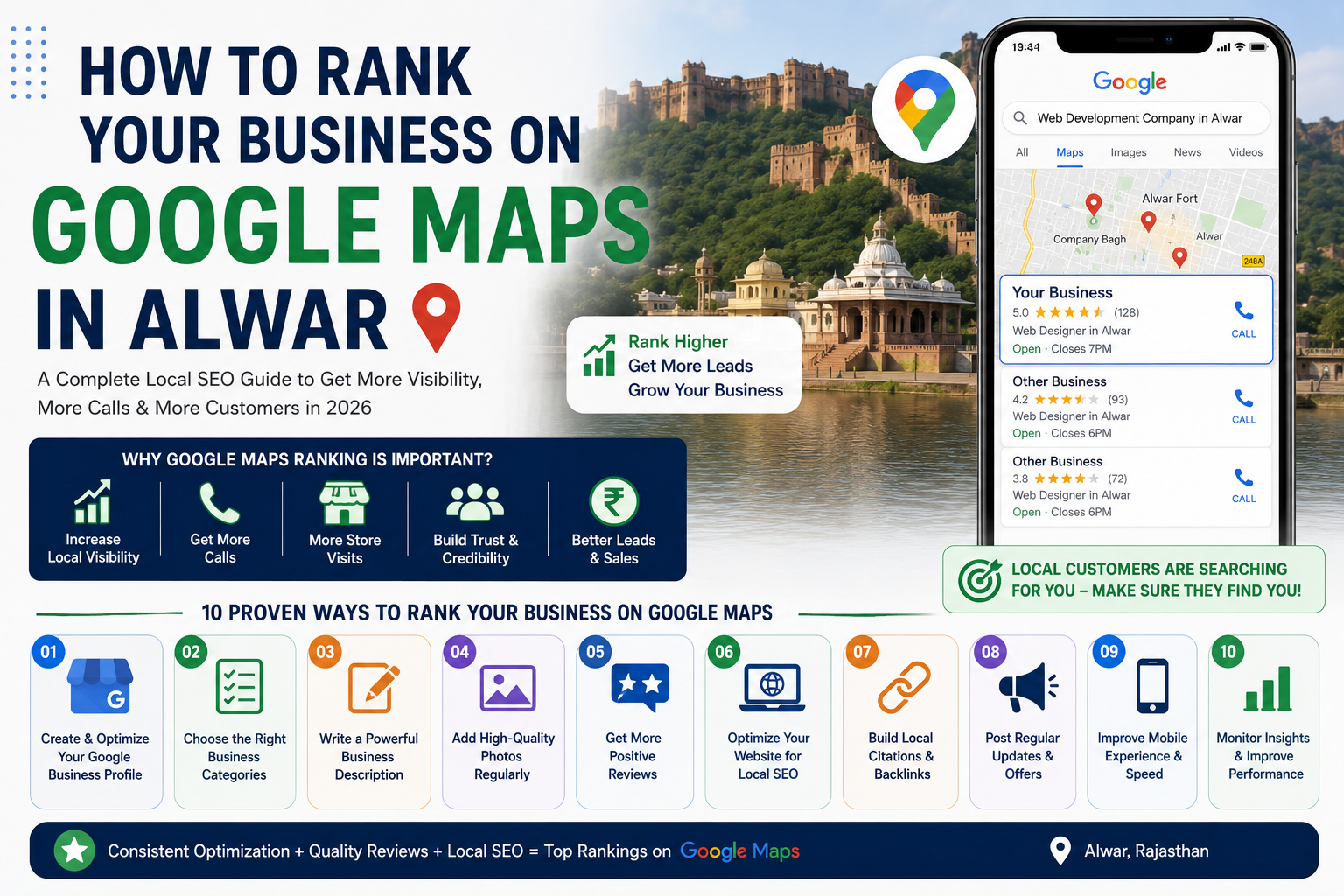

In 2026, local SEO has become one of the most powerful digital marketing strategies for businesses. When customers search for services like “restaurant near me,” “web developer in Alwar,” or “best digital marketing agency in Alwar,” Google Maps results usually appear before normal websites.
This means if your business ranks higher on Google Maps, you can generate more calls, website visits, leads, and customers without spending huge amounts on advertising.
However, many local businesses in Alwar struggle to appear in the top Google Maps results because they do not properly optimize their Google Business Profile or local SEO strategy.
In this detailed guide, you will learn how to rank your business on Google Maps in Alwar, improve local visibility, and attract more customers in 2026.
Why Google Maps Ranking Matters for Local Businesses
Google Maps is one of the first places customers check when searching for nearby services or products.
A strong Google Maps presence helps businesses:
- Increase local visibility
- Generate more phone calls
- Get more customer visits
- Improve brand trust
- Increase website traffic
- Generate local leads
- Compete with larger businesses
Businesses that rank in the Google Maps top 3 results often receive significantly more customer engagement compared to lower-ranked listings.
What Is Google Business Profile?
Google Business Profile (previously called Google My Business) is a free business listing platform by Google.
It allows businesses to appear on:
- Google Maps
- Google Search
- Local search results
- Mobile searches
Your Google Business Profile contains:
- Business name
- Address
- Phone number
- Website link
- Business hours
- Photos
- Customer reviews
- Services
- Products
Proper optimization of this profile is extremely important for local SEO success.
1. Complete Your Google Business Profile Properly
The first step to ranking on Google Maps is fully completing your Google Business Profile.
Incomplete profiles usually perform poorly in local rankings.
Important Details to Add
- Accurate business name
- Correct address
- Phone number
- Business website
- Business category
- Working hours
- Business description
- Services and products
- High-quality images
Always keep your information updated and consistent across all platforms.
2. Choose the Right Business Categories
Your primary business category plays a major role in Google Maps rankings.
Choose categories that accurately describe your services.
For example:
- Web Designer
- Digital Marketing Agency
- SEO Consultant
- Restaurant
- Clothing Store
- Real Estate Agency
You can also add secondary categories to improve visibility for additional services.
3. Optimize Your Business Description
Your business description helps Google understand your services and target audience.
A professional description should include:
- Main services
- Location keywords
- Unique selling points
- Business expertise
- Target customers
For example, if you are a website development company in Alwar, include keywords related to web development, SEO, Shopify, or WordPress services.
4. Add High-Quality Photos Regularly
Businesses with high-quality images generally perform better on Google Maps.
Photos improve:
- Customer trust
- Engagement rates
- Profile activity
- Brand professionalism
You should upload:
- Office photos
- Team photos
- Service images
- Project screenshots
- Product images
- Customer interaction photos
Regularly updating images signals activity and trust to Google.
5. Get More Positive Reviews
Customer reviews are one of the strongest ranking factors for Google Maps.
Businesses with more genuine positive reviews usually rank higher.
How to Improve Reviews
- Ask satisfied customers for reviews
- Share your review link
- Provide excellent service
- Respond professionally to all reviews
- Avoid fake reviews
Always respond to reviews because Google values active business engagement.
6. Optimize Your Website for Local SEO
Your website and Google Business Profile work together for local rankings.
A properly optimized website helps strengthen your Google Maps visibility.
Important Local SEO Factors
- Location-based keywords
- Fast website speed
- Mobile responsiveness
- Technical SEO optimization
- Local landing pages
- Schema markup
- Internal linking
- Google Maps embedding
If your website is slow or poorly optimized, it may affect your local ranking performance.
7. Build Local Citations
Local citations are mentions of your business information on other websites.
Examples include:
- Business directories
- Local listing websites
- Social media profiles
- Industry directories
Your business name, address, and phone number should remain consistent everywhere.
8. Publish Regular Google Business Posts
Google Business Posts allow you to publish updates directly on your business profile.
You can post:
- Offers
- Events
- Service updates
- Blog links
- Announcements
- New products
Regular posting improves profile activity and engagement.
9. Improve Mobile User Experience
Most local searches happen on mobile devices.
Your website and Google Business Profile should be mobile-friendly.
Important mobile optimization factors include:
- Fast loading speed
- Responsive design
- Clickable phone numbers
- Easy navigation
- Simple contact forms
Google prioritizes businesses that provide a better mobile experience.
10. Monitor Insights and Performance
Google Business Profile provides valuable analytics data.
You can monitor:
- Search visibility
- Phone calls
- Website clicks
- Direction requests
- Customer actions
- Search keywords
Analyzing this data helps improve your local SEO strategy over time.
Common Mistakes Businesses Make in Google Maps SEO
Many businesses fail to rank because they make avoidable mistakes.
Common issues include:
- Incomplete profiles
- Wrong business categories
- Fake reviews
- Ignoring customer reviews
- Poor website speed
- Weak SEO optimization
- Inconsistent contact information
- Inactive business profiles
Avoiding these mistakes can improve your local visibility significantly.
Questions People Ask About Google Maps Ranking in Alwar
1. How long does it take to rank on Google Maps in Alwar?
Local rankings depend on competition, profile optimization, reviews, and SEO quality. Some businesses may see improvements within weeks, while competitive industries may take longer.
2. Are Google reviews important for ranking?
Yes, reviews are one of the strongest Google Maps ranking factors. Genuine positive reviews improve visibility and customer trust.
3. Can small businesses rank on Google Maps?
Yes, small businesses can rank well with proper optimization, strong reviews, local SEO, and active profile management.
4. Does website SEO affect Google Maps rankings?
Yes, local SEO optimization, website speed, mobile responsiveness, and location-based content help improve Maps rankings.
5. How often should I update my Google Business Profile?
You should regularly update photos, posts, services, and business information to keep your profile active and optimized.
Final Thoughts
Ranking your business on Google Maps in Alwar can significantly improve local visibility, customer engagement, and lead generation in 2026.
Businesses that focus on profile optimization, customer reviews, local SEO, website speed, and consistent updates usually perform better in local search results.
If you want long-term local growth, treat your Google Business Profile as an important digital marketing asset instead of just a basic listing.
A properly optimized Google Maps presence can help your business attract more customers, improve trust, and grow successfully in the competitive local market.
